Points Center (Shop & Raffles)
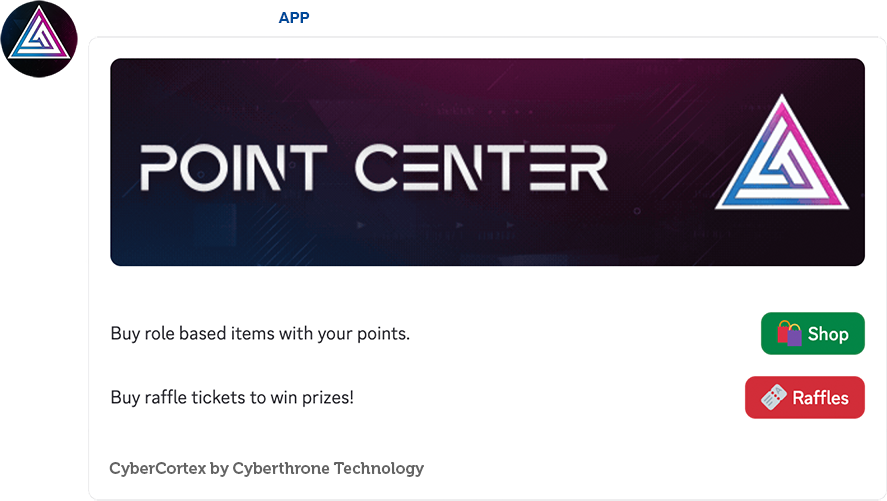
Points Center gives your community a place to spend their points on role based shop items and raffle tickets. It provides a clean, interactive UI that updates automatically as admins add or edit items and raffles.
How to Enable the Points Center?
Use the /points-center command to add the panel
Customizations
When using the /point-center command, you can use the optional parameters to customize the panel:
image_url– Allows you to add a custom banner image.include– Allows you to choose which buttons to include in the panel: Raffle, Shop, or both.shop_btn_name– Allows you to customize the name of the Shop button.raffle_btn_name– Allows you to customize the name of the Raffle button.shop_text– Allows you to add custom text to the panel instead of the default shop text.raffle_text– Allows you to add custom text to the panel instead of the default raffle text.
How to add Shop items?
Server managers can add role-based items that users can purchase using points.
/shop add-item
Add a new store item with a price, stock, required roles, roles to give, description, and an optional image.
[NEW] item_duration parameter also allow projects to set up buyable timed-role items which are automatically removed from the user after the set expiry time.
&#xNAN;This is currently only available in pro tier.
/shop edit-item
Modify any aspect of an existing item (price, stock, roles, description, image, etc.).
/shop delete-item
Delete an item from the store. If it doesn’t exist, the bot will tell you.
/shop item-info
Show full details about a specific shop item.
/shop all-items
Display a formatted list of all items currently available in the shop. Users can purchase these items directly through the Points Center UI.
How to add Raffles?
Admins can run raffles that users can enter by spending points on tickets.
/raffle create
Create a raffle with:
• Name & description
• Ticket price
• Duration
• Tickets allowed per user
• Winner count
• Optional Image
• Optionalallowed_roleparameter to set a specific role that is allowed to buy the raffle.
• Optionalis_perpetualparameter to make a raffle never expiring. This type of raffle also allow admins to draw winners at any time.
/raffle edit
Update any raffle detail (ticket price, duration, description, winner count, per-user limits, image, etc.).
/raffle delete
Remove a raffle entirely and clear any associated purchased tickets.
/raffle info
View full raffle details including tickets sold, draw time, and prize setup. Users can buy raffle tickets directly from the Points Center UI.
/raffle give-tickets
Manually give raffle tickets to a user for a specific raffle.