🏆 CyberCortex Bot Quiz Module
Welcome to the CyberCortex Bot Trivia Quiz Module — a premium, interactive, gameshow-style trivia experience built directly into Discord. Designed with rich UI components (dynamic select menus, secret buttons, real-time counters) and fully persistent career stats, it offers server members a highly engaging experience while giving admins powerful bulk management tools.
🎮 Game Modes
At the start of each session, players vote on their preferred game mode:
| Mode | Gameplay Rule | End Condition |
|---|---|---|
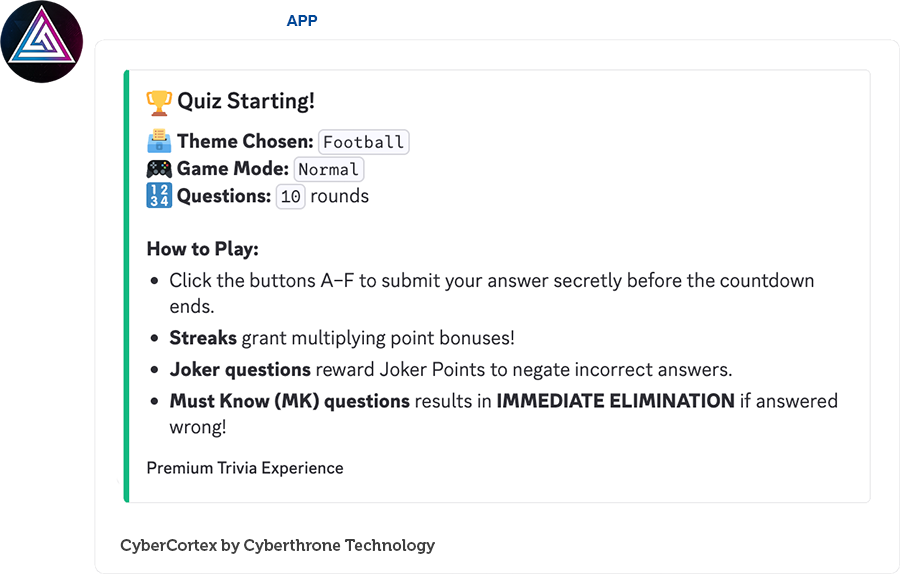
| Normal Mode 🎮 | Players answer all rounds to accumulate as many points as possible. Streaks multiply scoring! | Ends when all configured rounds are completed. |
| Last Man Standing 💀 | Survival of the fittest. Any incorrect answer results in immediate elimination unless saved by a Joker Point! | Ends when all rounds are finished OR when all players are eliminated. |
🏷️ Dynamic Question Types
To keep gameplay unpredictable, questions are drawn following a 20-Question Proportional Scaling Rule (ensuring a balanced mix of normal and special rounds). Questions can also support compound types which resolve randomly when drawn.
- 🎮 Normal Round (
N) — The baseline trivia round. Grants base points and builds up answer streaks. - ⚠️ Must Know Round (
MK) — High stakes! An incorrect answer to an MK question results in point reduction. - 🌟 Bonus Round (
B) — Grants 2X points for correct answers. Ideal for staging comebacks on the leaderboard. - 🃏 Joker Round (
J) — Answering correctly awards the player a Joker Point.
The Joker Save: Joker Points are automatically consumed to negate elimination when a player answers a Must Know question incorrectly (or fails any question in Last Man Standing).
🗳️ The Step-by-Step Game Flow
Here is how a typical quiz session unfolds in a Discord text channel.
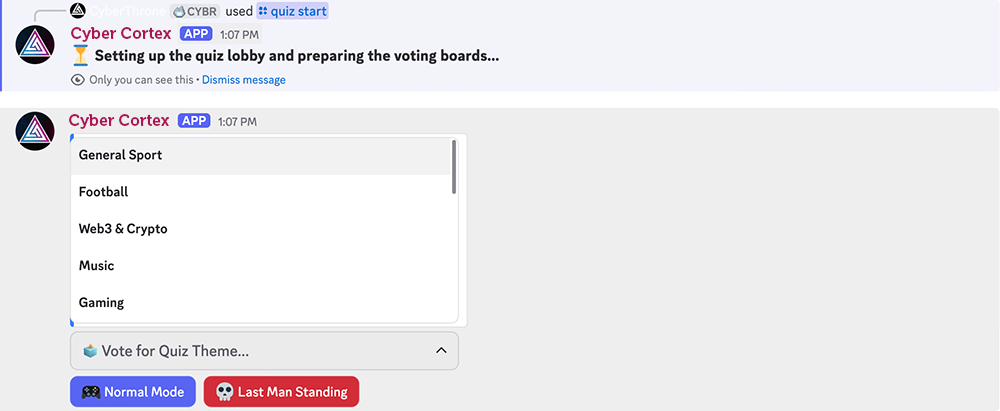
1. The Lobby & Dynamic Voting Phase (30s)
Command: /quiz start [rounds]
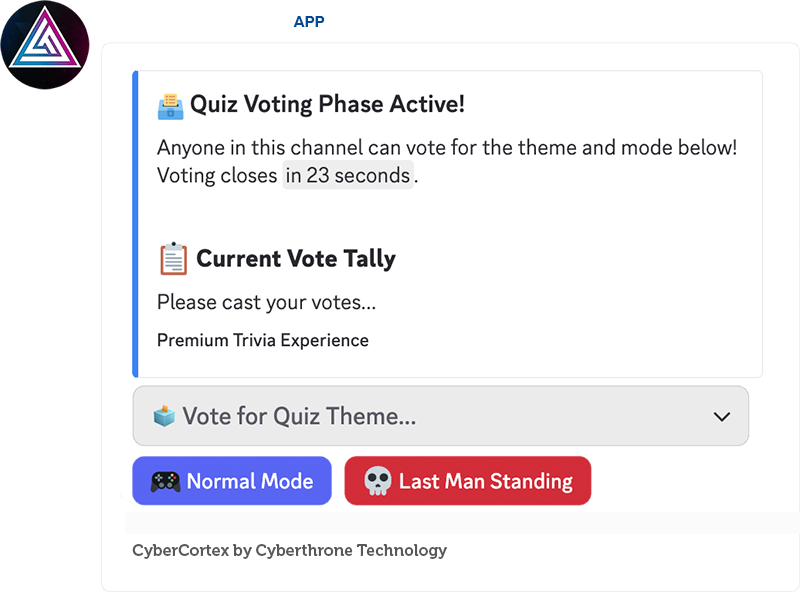
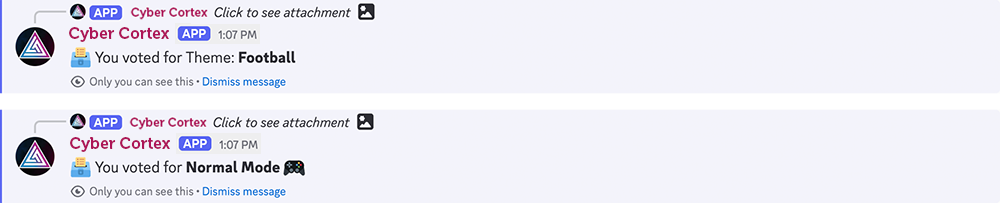
- A beautiful active voting panel is sent to the channel.
- Live Vote Tally: As users interact with the dropdown menus and buttons, the embed dynamically updates in real-time, showing the current counts (e.g.,
History: 4 votes,Last Man Standing: 3 votes) so the channel feels alive and competitive from the first second.
2. Secret Answer Selection
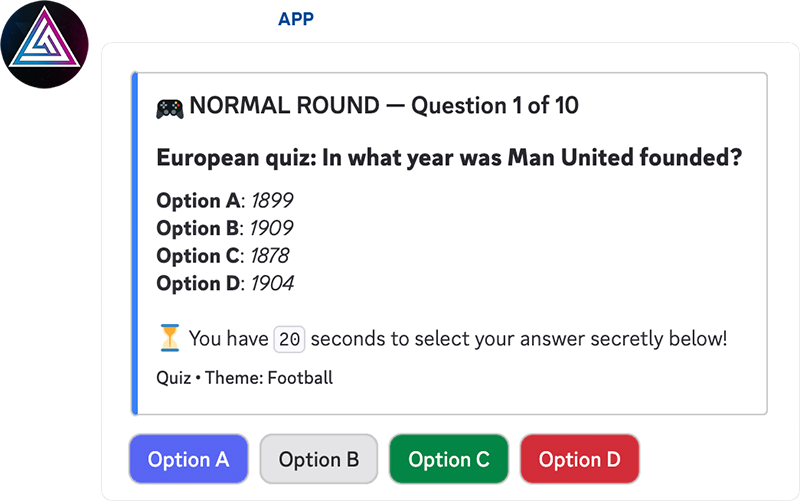
- When a round starts, the bot displays the question and options (A through F based on the loaded question data).
- Players submit their answers by clicking the buttons.
- Secret Acknowledgement: To prevent players from copying each other, button clicks return an ephemeral confirmation (only visible to the clicking user, e.g.,
Option C selected!). No one else can see what you chose!
3. Round Recaps & Dynamic Multipliers
- When the timer expires, the bot reveals the correct answer and compiles a round leaderboard.
- Streak Multipliers — consecutive correct answers grant progressive point boosts:
| Streak | Multiplier |
|---|---|
| 2-Streak | 1.1x points |
| 3-Streak | 1.2x points |
| 4-Streak | 1.3x points |
| 5-Streak or higher | 1.5x points |
- Joker Saves & Eliminations: The bot logs who survived, who spent a Joker Point to save their streak, and who got eliminated in dramatic gameshow style!
4. The Final Podium & Payouts
- At the end of the final round, the bot posts a beautiful Gameshow-style Podium Leaderboard displaying 1st, 2nd, and 3rd place champions (complete with custom gold, silver, and bronze medal emojis).
- Persistent Payouts: The scores earned in the quiz session are automatically credited to the users' persistent main balances in the server's economy.
📊 Career Trivia Statistics
Command: /quiz stats [user]
Players can view their cumulative lifetime achievements at any time:
- Total Quizzes Played — Lifetime games joined.
- Cumulative Points Earned — Total score across all trivia sessions.
- Peak Streak Record — The highest consecutive correct answer record.
- Quiz Eliminations — Total times knocked out of a quiz.
- Career Answer Ratio — Lifetime precision rate showing exact correct/incorrect stats (e.g.
82.4% (89/108)). - Must Know Questions Survived — Lifetime count of high-stakes MK questions successfully answered.
🛠️ Powerful Admin & Bulk Operations
Admins have full command over the trivia database to easily build, export, and manage their server's categories.
- 📁 CSV Bulk Upload —
/quiz admin questions-upload: Add hundreds of questions instantly. The system automatically validates headers, options (accepts between 2 and 6 options dynamically), and checks that at least one correct answer is present. - 📥 CSV Bulk Deletion —
/quiz admin questions-delete: Delete questions in bulk by uploading a list of question strings. - 📤 Theme Export —
/quiz admin questions-view: Exports the entire question pool of a specific category into a downloadable CSV file. Excellent for backups or moving databases. - 📋 Themes Management —
/quiz admin themes-list: Lists all configured themes and the exact number of active questions in each theme. - 🚨 Emergency Force End —
/quiz admin force-end: Instantly terminates an active running quiz in the server if needed.
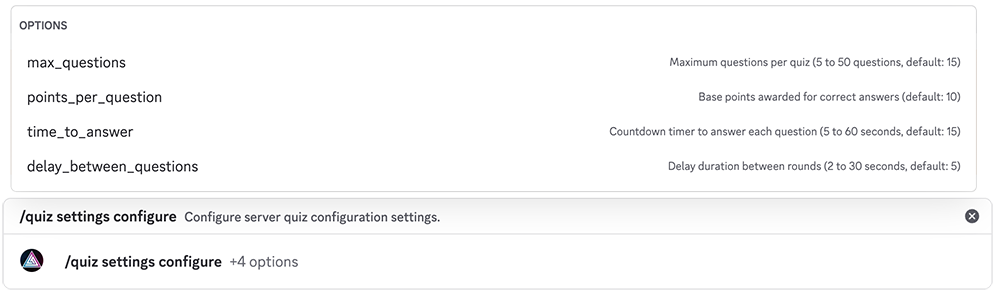
You can also use /quiz settings configure to set up the most important parameters of the quiz.
Quick Reference Table
| Command | Audience | Description |
|---|---|---|
/quiz start [rounds] | Admin | Start a quiz session with a voting lobby. |
/quiz stats [user] | Admin/User | View lifetime career trivia statistics. |
/quiz settings configure | Admin | Configure the core quiz parameters. |
/quiz admin questions-upload | Admin | Bulk-upload questions via CSV. |
/quiz admin questions-delete | Admin | Bulk-delete questions via CSV. |
/quiz admin questions-view | Admin | Export a category's question pool to CSV. |
/quiz admin themes-list | Admin | List all themes and their active question counts. |
/quiz admin force-end | Admin | Force-terminate an active running quiz. |